Local image workflow
Photo metadata tasks: dates, orientation, thumbnails and batch handoffs
Start with the question your file needs to answer. A capture timestamp, a display rotation, an embedded preview and a batch inventory are different outputs; this center helps you choose and verify the one you need.
18 October 2026 · Check AI Free
Pick the result you need
| Question | Primary tool | Keep or check |
|---|---|---|
| Which stored date describes capture? | Photo date viewer | Each source, raw string, offset, subsecond digits and warning |
| Can this date be converted to UTC? | Photo date viewer | Unknown offsets stay unknown; a UTC day can differ from the stored local day |
| Why does this JPEG appear sideways? | Photo orientation fixer | Encoded dimensions, tag1–8 and the actual re-encoded display copy |
| Is there an older or different embedded preview? | EXIF thumbnail extractor | Original IFD1 JPEG bytes and dimensions, or an explicit empty/unreadable result |
| What does a collection contain? | Batch metadata inspector | One localID/result per selected file, including failures and same-name inputs |
| Can I hand off clean copies? | Batch section of metadata remover | Verified output files, policy, original-name choices and the per-file ZIP manifest |
- Read photo dates and offsets — JPEG EXIF, supported standard-XMP properties, GPS UTC and a separate browser file timestamp.
- Make an orientation-normalized copy — A bounded Canvas re-encode, with explicit format and metadata effects.
- Extract an original EXIF thumbnail — A referenced IFD1 JPEG, not a generated miniature.
- Inspect a metadata batch — Mixed JPEG/PNG/WebP, per-file errors and local report downloads.
- Create a batch of verified cleaning copies — Whole-category policy and a ZIP manifest, without changing disk originals.
- Export actual fields from one image — Choose groups and preview complete typed values in JSON or spreadsheet-aware CSV.
- Read or convert GPS coordinates — Keep stored location and manually converted numbers distinct; no map lookup is required.
Three defined camera-workflow scenes
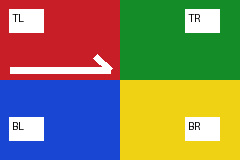
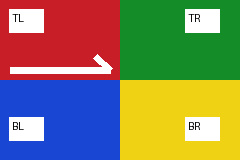
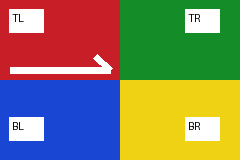
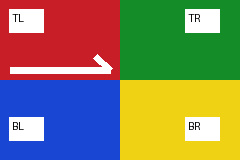
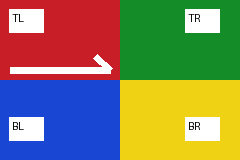
These are reproducible source definitions and variants of one self-authored corner chart. They are not independent camera captures or an accuracy benchmark. All date and camera fields are invented, and the separately encoded purple thumbnail deliberately differs from the main chart.
| Scene | Observed or expected task output | Decision |
|---|---|---|
| S-H02-CAMERA · date-offset.jpg | Known+05:30 capture, tag6, a separate48×32 thumbnail | Preserve the source records; make a new display copy only if you want to accept re-encoding. |
| S-H02-MISSING · unknown/absent controls | Unknown capture timezone, empty thumbnail or no embedded dates depending on the selected file | Keep missing and unknown states; the browser clock supplies no replacement capture time. |
| S-H02-DIAGNOSTIC · conflict/broken controls | Comparable date conflict or unreadable thumbnail range | Retain the warning and obtain an intact or better documented source rather than inventing a repair. |
- Download the self-authored camera example — A 240 × 160 labeled corner chart, invented EXIF dates and a separately encoded 48 × 32 purple thumbnail. Camera fixtures v1; not a camera photograph.
- Download the unknown-timezone variant — Stored local dates remain, without UTC offsets.
- Download the missing-thumbnail variant — No supported thumbnail is substituted from the main image.
- Download the chronology-conflict variant — An intentionally earlier digitization time with comparable explicit offsets.
- Download the broken-thumbnail variant — The extractor rejects the invalid referenced range.
Build a handoff that another person can check
Step 1
Keep the input role clear
Record whether each file is the original, a download, an editor export or a generated copy. Use batch localIDs when filenames repeat, and keep a separate private mapping if you omit original names from reports.
Step 2
Separate reading from transformation
Date reading and thumbnail extraction do not change the source. Orientation normalization re-encodes a new image and drops metadata. Metadata removal copies retained compressed image bytes under its chosen category policy. Pick the method whose effects you can accept.
Step 3
Verify the output you will actually send
Reopen downloaded images or extracted ZIP entries, preserve partial/error rows in the report, and inspect warnings. A complete archive, a present camera field or a plausible date is not a certificate of image authenticity or private-data removal.
Follow the task-specific limits
The batch inspector supports JPEG/PNG/WebP; the dedicated date, orientation and thumbnail operations currently support JPEG only. Batch count and byte limits, bounded PNG text limits, orientation pixel limits and unsupported animation policies are shown in the respective tools. An unsupported or damaged component is not the same as a missing field.
If sharing privacy is the goal, use the privacy center to choose a removal policy and read the resulting file. Camera timestamps, thumbnails and other stored records may contain information you do not intend to distribute, while faces and signs visible in pixels need a separate visual review.
- Continue to the photo privacy workflow — Inspect fields, choose a policy and recheck the copy.
Sources and reproducible inputs
- Download the self-authored camera example — A 240 × 160 labeled corner chart, invented EXIF dates and a separately encoded 48 × 32 purple thumbnail. Camera fixtures v1; not a camera photograph.
- Download the three-scene machine-readable summary — Source-defined inputs with exact SHA-256, byte lengths and actual date/orientation/thumbnail readings; synthetic scenes, not independent photographs.
- Adobe XMP Date type — The current documentation allows an omitted timezone and says that its value then remains unknown.
- Adobe TIFF namespace: Orientation — Primary documentation of the eight stored row/column orientations and the TIFF-derived modification-time property.
Continue with your file
- Batch-check photo metadata and keep failed files visible — Inspect mixed JPEG, PNG and WebP files locally, distinguish same-name inputs with stable IDs, and export a per-file summary without raw metadata values.
- Remove metadata from multiple images and verify the ZIP — Apply a local whole-category metadata policy to a mixed batch, keep failed files visible, and inspect verified JPEG, PNG and WebP copies plus their ZIP manifest.
- Find a photo's stored capture time without confusing file dates — Read capture, digitization, image modification, GPS UTC and browser file modification dates separately, preserve subsecond digits and export a local report.
- Understand photo timezones before converting a stored date — Match EXIF date fields with their offset and subsecond tags, keep absent timezones unknown, and verify an example that crosses midnight when converted to UTC.
- Fix sideways photo orientation and verify the display copy — Apply one of eight EXIF orientations once, check a labeled corner chart, and download a re-encoded PNG or JPEG with explicit size and metadata limits.
- Extract and check the real JPEG thumbnail stored in EXIF — Extract the original IFD1 JPEG thumbnail, check its dimensions and TIFF range, download its bytes, and distinguish a missing thumbnail from a broken offset.