Practical guide
Check stored photo author, copyright and keyword fields
An author label is only useful in a handoff when its store, exact value and reading status travel with it. Inspect the fictional three-store JPEG, retain repeated keywords and language alternatives, and record gaps without inventing an owner.
18 October 2026 · Check AI Free
Define the handoff you need
Use combined.jpg to produce two concrete outputs: an XMP property/packet pair and an IPTC IIM report/resource pair. All names, captions and rights strings in this exercise are invented. Reading those strings does not establish authorship, a license or permission to reuse an arbitrary image.
Keep creator, credit, source, copyright notice, keywords and caption as separate records when they exist. A blank copyright field is not a reason to fill it with the creator's name, and a source/credit label is not a substitute for a rights declaration. Ask the provider to resolve unclear provenance rather than rewriting the evidence while inspecting it.
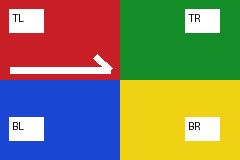
- Download the self-authored three-store JPEG — A 9506-byte, 240 × 160 generated corner-chart JPEG with fictional, deliberately different EXIF, XMP and IPTC author/caption/rights declarations, plus a generated ICC profile. Combined metadata fixture v1; not a camera photograph.
Inventory XMP arrays and language alternatives
Step 1
Read the same-file creator and rights values
Choose combined.jpg in the XMP viewer. Find dc:creator with XMP synthetic photographer and 合成示例. Find dc:rights with Synthetic XMP rights declaration and x-default. The full namespace URI identifies the property; another prefix can refer to that same namespace.
Step 2
Exercise a repeated property without losing either value
Click Try standard XMP. This separate built-in example has five properties: a demo Label attribute, a two-value dc:creator array, a two-language dc:title array, and two separate demo:Repeat properties with one and two. Use this as a repeat/array control; it is not the same file as combined.jpg.
Step 3
Export the complete data after checking the preview
Click Copy packet text or Download original XMP bytes to retain the entire XML. Download property JSON retains all interpreted properties and arrays, including values whose on-page display is shortened. Structured schemas remain in raw XML with a warning; do not interpret an unflattened property as an absent one.
Inventory IPTC keywords by occurrence
Step 1
Read the UTF-8 resource
Choose combined.jpg in the IPTC viewer. Its By-line / author is IPTC synthetic editor 合成, Copyright notice is Synthetic IPTC rights declaration, and Caption / abstract is IPTC synthetic caption. The resource's declared charset is UTF-8.
Step 2
Retain all three keyword datasets
Find the three 2:25 occurrences: example, Unicode 相機, example. The first and third have equal text but remain separate original datasets with their own IDs and file offsets. Do not deduplicate them when the task is to document what this file stores.
Step 3
Download the interpreted and original forms
Click Copy IPTC JSON or Download IPTC JSON for the report. Download original IIM resource preserves the resource bytes for another reader. Retain status, charset and warnings with the values; a screenshot of only the names cannot carry that context.
Check the missing and unknown-encoding controls
| Control | Actual result | Handoff decision |
|---|---|---|
| Try UTF-8 IPTC | Five datasets: charset declaration, Synthetic author 合成, example, metadata and a caption; no 2:116 copyright dataset | Record copyright as not found in this resource; do not substitute a license. |
| Try unknown encoding | Four datasets, partial status; Café is a Latin-1 byte preview with unknown encoding | Preserve raw bytes and the unknown-encoding warning; do not silently certify the preview. |
| Try no IPTC / Try no XMP | empty within that reader's supported storage | Check other stores separately; no creator or rights status is inferred. |
| Try malformed XML | partial XMP packet with available properties and structural warnings | Retain the original packet and warnings; obtain an intact source if needed. |
Attach a small index to the exported files
After reloading combined.jpg, save its XMP and IPTC exports together. Add a local text index like the one below so the recipient knows which report contains the declared rights, which contains the repeated keywords and which conflicts remain unresolved. This index is a note you write from the observed reading, not a new claim added to the image. Do not use it as a license certificate.
Input role: self-authored combined.jpg, fixture v1
XMP: xmp-properties-1.json + xmp-packet-1.xmp
  creator: XMP synthetic photographer; 合成示例
  rights [x-default]: Synthetic XMP rights declaration
IPTC: iptc-report.json + iptc-resource-1.iim
  charset: UTF-8
  copyright 2:116: Synthetic IPTC rights declaration
  keywords 2:25 occurrences: example | Unicode 相機 | example
Unresolved: EXIF, XMP and IPTC creator/rights strings differ.
Authority and reuse permission: not established by these stored fields.
Keep the disagreement in the delivered record
For combined.jpg, the EXIF Artist says EXIF synthetic editor while XMP and IPTC contain different creator strings. Put those values on separate lines with their store names. The exercise demonstrates how to preserve a conflict; it does not choose a preferred author or assign legal meaning to the fictional declarations.
JPEG XMP can be split across extended packets. Try extended XMP shows one standard packet and a linked reconstructed packet; raw fragment failures remain separate when a group cannot be reconstructed. These reader checks do not fetch certificate or rights URLs, execute XML, verify ownership or modify the original. Share only the metadata values your handoff actually requires.
- Include EXIF author and copyright tags — Read the same combined JPEG to retain the third stored declaration.
- Review identity and contact data before sharing reports — Reports and raw resources can reveal more than their author labels.
Sources and reproducible inputs
- Download the self-authored three-store JPEG — A 9506-byte, 240 × 160 generated corner-chart JPEG with fictional, deliberately different EXIF, XMP and IPTC author/caption/rights declarations, plus a generated ICC profile. Combined metadata fixture v1; not a camera photograph.
- Adobe Dublin Core XMP property definitions — Primary definitions for creator arrays and language-alternative descriptions/rights. Documentation checked 18 October 2026.
- IPTC IIM 4.2, July 2014 — Fixed primary reference for coded character set and datasets including 2:25 Keywords, 2:80 By-line, 2:116 Copyright Notice and 2:120 Caption/Abstract.
- Adobe XMP Part 3: Storage in Files, January 2020 — Official PDF pinned to toolkit revision 7093513bd3ca. Describes embedded XMP and reconciliation with other metadata stores.
Continue with your file
- Compare three stores in one JPEG — Exact author/caption/rights conflicts with separate source IDs.
- Export selected groups — Preserve Unicode, multiple values and original raw precision.
- Choose a broader photo handoff task — Dates, thumbnails, camera fields and batch inventories have different outputs.