Practical guide
Check an image extension against its real container
A filename extension is a label. Compare it with the file signature and supported container structure before deciding whether you need a new name, an intact original or an actual image conversion.
18 October 2026 · Check AI Free
Use a deliberately misleading name
disguised.jpg contains the same self-authored 8 × 6 PNG bytes as original.png. The extension does not make it JPEG. The built-in Try disguised PNG sample uses the separate 266-byte chart and declares browser MIME image/jpeg, so it can show both disagreements deterministically. Its file hash differs from the 338-byte canonical download.
When you download disguised.jpg to your own machine and select it, the browser MIME may be empty or chosen from the filename/OS. That is why the checker displays MIME separately from the byte signature. Neither the filename nor the browser declaration supplies the deep structure result.
- Download PNG bytes named disguised.jpg — SHA-256 matches original.png; it is not a JPEG conversion.
- Download the original synthetic RGBA PNG — Project-authored 8 × 6 PNG, 338 bytes. Four colored regions, alpha controls and one Description tEXt field: Fictional metadata; pixel samples are unchanged. This canonical download differs from the separate 266-byte built-in hash sample.


Compare signature, structure and labels
Step 1
Read the disguised sample
Open Image file type checker and click Try disguised PNG, or choose the downloaded file. The source-defined reference is PNG with checked supported structure. The extension is jpg and mismatches. The built-in sample's image/jpeg MIME also mismatches; a selected download can have a different browser MIME.
Step 2
Inspect structure scope
Read the structure diagnostics and dimensions. For this sample the PNG signature, chunk boundaries, selected header rules and CRCs pass; width is 8 and height is 6. This does not decompress the IDAT to certify every image sample or scan for malicious content. Save Download type JSON if you need the actual extension/MIME/signature observations.
Step 3
Compare an actual JPEG
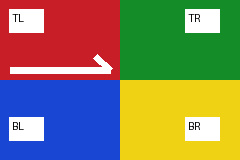
Choose original.jpg below. It is the project's generated 240 × 160 JPEG corner chart, with a JPEG signature and supported JPEG marker/scan structure. Calling both files .jpg does not make their containers the same.
Renaming and conversion leave different evidence
The type checker does not convert or repair the input. If a receiving system requires JPEG, use an encoder with a clear alpha, color and metadata policy, then inspect the new file. If it requires PNG and you already have valid PNG bytes, correcting a misleading filename can be appropriate; verify the actual requirements before changing your working copy.
| Operation | Bytes / signature | What changed |
|---|---|---|
| Rename original.png to a .jpg filename | Same file bytes, hash and PNG signature | Only the filename label; not image encoding. |
| Export a true JPEG with an image encoder | Different JPEG structure and usually different hash | Encoding, alpha/color/metadata policy and possibly decoded samples. |
| Corrupt a PNG chunk CRC | PNG signature may remain; supported structure is damaged | A known integrity failure; do not call it a valid format conversion. |
Keep unknown and damaged controls distinct
Click Try damaged CRC to inspect an intentionally altered PNG checksum. A recognized PNG signature with structural diagnostics is different from Try unknown bytes, which is project-authored text without a supported image signature. A truncated header or chunk can stop inspection before a complete inventory; no absence conclusion is inferred. Reaching the 4096-unit structure limit is an incomplete/limited reading, even for an otherwise legal file. It is distinct from an actual failed CRC or out-of-bounds length.
GIF, TIFF, AVIF and HEIF signatures may be recognized but remain unsupported for this deep inspection. JPEG, PNG and WebP checks cover bounded selected container rules, not every standard feature or full compressed-stream decoding. A type match never certifies that the file is safe, authentic or generated by any particular software.
- Download the bad-CRC diagnostic — A controlled failure derived from the self-authored PNG, not a repair demonstration.
- W3C PNG Third Edition, 24 June 2025 — Fixed primary specification for the PNG signature, chunks, CRC, image dimensions, alpha and embedded metadata. A subset structure check does not certify full conformance.

Sources and reproducible inputs
- Download the original synthetic RGBA PNG — Project-authored 8 × 6 PNG, 338 bytes. Four colored regions, alpha controls and one Description tEXt field: Fictional metadata; pixel samples are unchanged. This canonical download differs from the separate 266-byte built-in hash sample.
- Misnamed PNG input — The same original bytes with a different extension.
- W3C PNG Third Edition, 24 June 2025 — Fixed primary specification for the PNG signature, chunks, CRC, image dimensions, alpha and embedded metadata. A subset structure check does not certify full conformance.
Continue with your file
- Continue with size and display dimensions — A recognized container can still exceed the next tool's limits.
- Check whether the bytes changed — A rename alone does not alter SHA-256.